The first time I watched a sports drama on my new TV, it was disappointing. The shadows were dark and the highlights were too bright. The movie’s tension was lost in the brightness.
Why did this happen? TVs come with settings that aren’t for movies. They’re made to look good in stores, not for watching films. The “Vivid” or “Dynamic” mode ruins the mood of movies, making them look like TV shows.
Creating a home theatre is more than just a TV. It’s about the environment. You need control over the light, good sound, and professional setup. This makes a big difference in how you watch movies.
This is your chance to improve your movie-watching experience. We’re moving from watching TV in a bar to having your own cinema. We’ll show you why the default settings don’t work and how to make your space great for movies. Are you ready to see the difference?
Calibrating for B&W and Low‑Key Images (gamma, black crush)
Black-and-white films test your display’s true character. They show every flaw in its performance. A classic boxing match or a tense sports drama scene? They’re not just movies; they’re tests of your equipment’s soul.
Get it wrong, and you see a dark Rorschach test. Get it right, and the screen opens a window to another world’s gritty reality.
Two technical issues stand in your way: gamma and black crush. Let’s explore them.
Gamma controls how your display shows black to white. It’s like the story’s pacing. Too fast, and the middle chapters are lost. Too slow, and everything feels dull.
Most displays have a gamma that makes cartoons pop but ruins black-and-white films. This is because they’re not set right for monochrome.
Black crush is gamma’s evil twin. It makes dark scenes too dark, losing important details. A dim corridor becomes a dark hole. The texture of a sweaty jersey disappears.
So, what’s the fix? It’s not just making things brighter. That’s like turning up the volume too high. The answer is calibration: making your display match the director’s vision.
Professional calibration by a certified tech is the best. They aim for “unprecedented color, contrast, and black levels.” But you can get close to that at home with patience and the right tools.
First, ditch your TV’s presets. Yes, even “Movie” or “Cinema” mode. These are just guesses, not perfect solutions. They’re a starting point, not the end.
Instead, use test patterns. Free ones from places like AVS Forum can show you where your gamma curve is wrong. You want to see clear differences in dark grays without losing blacks. It’s a delicate balance.
Understanding gamma 2.2 vs 2.4 is key. That intense fight scene in a smoky arena? It was mastered for a specific gamma. Matching it lets you see the sweat and tension as intended.
The goal of calibration is an honest picture. It shows the hidden details—the fear in a boxer’s eyes, the tension in a coach’s face—that the cinematographer carefully placed.
Letting shadows breathe is important. A well-calibrated image for film noir might look a bit milky. But that’s okay. You’re seeing the subtle details, not an artificially bright contrast.
Think of it this way: an uncalibrated screen shows a silhouette. A calibrated screen shows the person inside that silhouette, their posture, their weariness, their hope. That’s the power you’re unlocking.
Start simple. Play a known-good black-and-white film. Pause on a dark scene. Can you see different textures in the shadows? If it’s just a dark blob, you’ve found black crush. Now, your journey to proper calibration has started.
SDR vs HDR for classic and neo‑noir looks
Your projector’s HDR badge might look shiny, but it’s not always the best choice for every film. The SDR vs HDR debate is about finding the right look for each movie. It’s about staying true to the film’s original intent.
Standard Dynamic Range (SDR) has been around for decades, while High Dynamic Range (HDR) is newer. HDR promises brighter colors and deeper shadows. But, sometimes, more isn’t better.
For classic films like “The Set-Up” and “Body and Soul”, SDR is often the best choice. These movies were made with specific contrast ratios. HDR can make them look too clean and digital.
On the other hand, modern neo-noir films like Creed benefit from HDR. It adds depth and detail to the visuals. HDR makes the sweat and neon lights feel more real.
So, how do you choose between SDR and HDR? Here’s a simple rule of thumb:
| Format | Best For… | Watch Out For… | Pro Tip |
|---|---|---|---|
| SDR (Standard Dynamic Range) | Classic film noir (pre-1970s), most archival sports documentaries, films with heavy film grain. | Can look flat on very high-brightness projectors if not calibrated for low-key images. | Trust the filmmaker’s original intent. If it was shot on film, start with SDR. |
| HDR (High Dynamic Range) | Modern neo-noir (post-2000), visually stylized sports dramas (Creed, Ford v Ferrari), any disc/stream labeled “4K HDR”. | The “soap opera effect” of bad streaming compression and garish, over-saturated colors from poor tone-mapping. | Pair your HDR projector with an ambient light rejecting screen. This preserves those rich, dark colors even if your room isn’t a perfect cave. |
The key is intentionality. Don’t let your projector decide for you. For a noir movie night, you might switch formats between films. It’s not being picky; it’s showing respect for the film.
Room Setup: Light control, bias lighting, distance
Your viewing space is like a silent character in a noir film. It’s key to the story. A bad setup can ruin even the best movies, like Raging Bull. Your room is where the magic happens.
Don’t aim for total darkness. It’s bad for your eyes. You want controlled darkness to avoid eye strain and headaches.
Blackout curtains are essential. They block out streetlights and other unwanted light. Choose heavy fabric, like red velvet, for the best effect.
After darkening your room, add some light. Bias lighting is a soft glow behind your screen. It helps your eyes and makes colors pop.
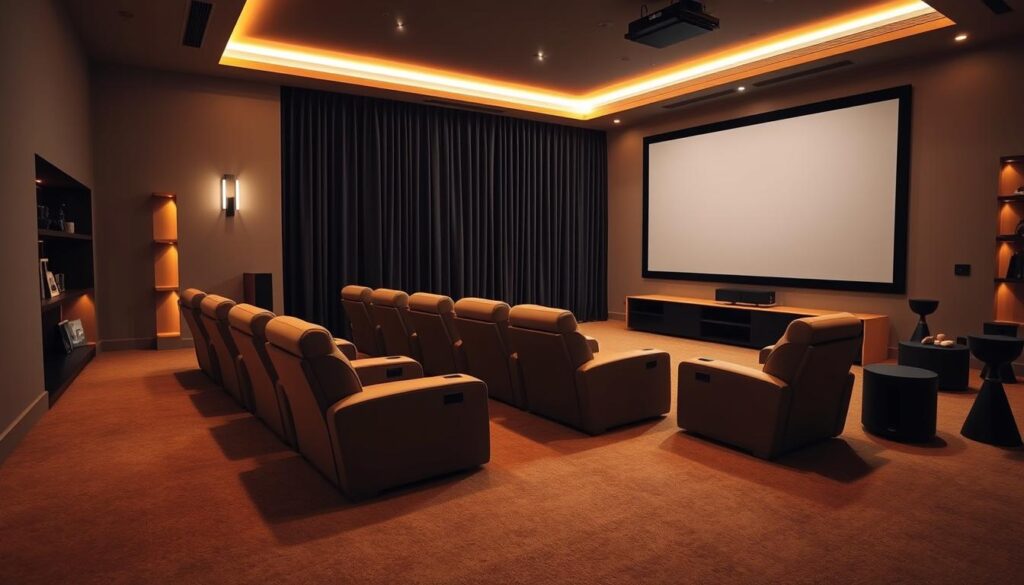
Where you sit is important. Too close or too far ruins the view. Aim for 1.5 to 2.5 times your screen’s diagonal size. For a 65-inch TV, that’s 8 to 13.5 feet away.
Light can bounce off walls, ruining your picture. Paint them dark gray or black to absorb light. This can improve your picture more than a new projector.
Think about ambient light for safety and style. A room should be dark but not black. Use dimmable lights and LED strips for a cozy feel.
The goal is to create a cozy space, not a dark cave. Control the light, guide the eye, and respect the space. Your screen will shine.
Sound on a Budget: 2.1 vs 3.1 vs headphones for detail
Let’s get real about sound. You don’t need to spend a lot to enjoy a game’s excitement or a movie’s score. The goal is to feel like you’re right there, not to have perfect sound.
Your sound setup is like a sports commentator. It makes your movie experience better without breaking the bank.
Think of your audio options like a team. A 2.1 system is like your starting lineup. A 3.1 setup adds a star for better sound. And headphones are your secret weapon for getting into the movie.
The right choice depends on your room, budget, and whether your neighbors mind the noise.
| Setup | Core Components | Best For… | Key Limitation |
|---|---|---|---|
| 2.1 System | Left & Right Speakers + Subwoofer | Foundational clarity, strong music & effects, budget-friendly entry point. | Dialogue can lack precise screen anchoring, relying on a “phantom” center. |
| 3.1 System | Left, Center, Right + Subwoofer | Crystal-clear dialogue, improved soundstage, more cinematic immersion. | Requires more space & wiring; center channel quality is critical. |
| High-Quality Headphones | Open-back over-ear headphones | Maximum auditory detail, zero room interference, apartment-friendly. | Lacks the physical, shared experience of speaker sound. |
The 2.1 channel sound setup is your go-to. It gives you stereo sound and a strong bass. You’ll feel the crowd and music well. But, dialogue might not be as clear.
Adding a center channel to make it 3.1 is a smart move. It makes dialogue clear and direct. Your left and right speakers focus on the atmosphere.
For a detailed listen, try open-back headphones. They’re great in noisy places or quiet homes. They let you hear every sound detail, like footsteps or breathing.
Where you place your speakers or headphones matters. For 2.1 or 3.1, put speakers at ear level. The center channel should be aimed at your ears if you have 3.1.
The best sound setup is one that works for you. Whether it’s 2.1, 3.1, or headphones, it’s all about the experience. Now, let’s make sure the sound quality is top-notch.
Streaming Pitfalls: Compression, motion smoothing off
Let’s take a closer look at your favorite streaming platform. We’ll uncover the two main problems: compression and motion smoothing. These issues can ruin your movie nights. You get instant access but lose image quality.
Compression is a big problem. It’s used to fit lots of movies into a small digital space. This means some visual details are lost. You might not notice in bright scenes, but fast action and dark scenes show the problem.
Fast action scenes can look pixelated. Dark scenes show color banding, like a staircase. Details in fabrics and faces disappear. It’s not your equipment’s fault; it’s the data being used.
The main issue is low bitrate. A higher bitrate means better quality. But services often lower this based on your plan and internet speed. A “4K” label doesn’t always mean high quality.
Motion smoothing is another problem. It’s known as “TruMotion” or “Auto Motion Plus.” It makes motion look too smooth, like a soap opera. This ruins the film’s natural look.
It makes everything look cheap and unnatural. Sports footage can look like a video game. This process also causes errors during fast motion.
Turn off motion smoothing in your TV’s settings. Look for “Motion,” “Clarity,” or “Smooth Motion.” Choose the original 24 frames per second.
To avoid these problems, be smart about streaming. Check the quality you’re getting. Look for the bitrate number. For HD, aim for 8-10 Mbps. For 4K, try for 15-25 Mbps.
Always choose the highest quality tier in the app’s settings. Use a wired Ethernet connection if you can. This helps avoid quality drops due to Wi-Fi issues.
Streaming is convenient, but it can affect quality. To enjoy movies as intended, fight against motion smoothing and understand compression. Your screen should show the director’s vision, not internet limits.
Disc vs Stream: When physical media wins
Let’s talk about something uncomfortable: for true cinematic immersion, your internet connection is the enemy. A shiny disc is your ally. In our instant gratification age, choosing physical media feels countercultural. Yet, for moody sports cinema, where every shadow and film grain texture tells a story, the 4K UHD Blu-ray disc is the undisputed champion.
Why do we stick to plastic circles? It’s all about bitrate. Think of bitrate as the bandwidth of visual information. A disc gives you a firehose of data—often 80-100 Mbps—directly to your player. Streaming services offer a garden hose, sometimes a trickle, maxing out at 15-25 Mbps. This difference isn’t just academic.
When data gets squeezed through the internet, compression algorithms work hard. They discard what they deem “unnecessary” visual information. Guess what gets sacrificed first? The subtle gradients in dark locker rooms, the texture of a rain-soaked jersey at night, the fine detail in a dimly lit stadium. These are the soul of moody sports films.
The disc, bless its uncompressed heart, preserves it all. Film grain looks like film grain, not digital noise. Shadows contain detail, not black crush. The color depth in a sunset over a empty field remains rich and nuanced. It’s the difference between looking through a clean window and one smeared with Vaseline.
Then there’s the sound. While streaming gives you compressed audio, a disc delivers lossless audio formats like Dolby TrueHD or DTS-HD Master Audio. The crunch of turf, the echo in a vast arena, the subtle score—they arrive with full dynamic range. Your sound system has something worthy to play.
| Aspect | Physical Media (4K UHD Blu-ray) | Streaming Service |
|---|---|---|
| Data Delivery | Direct, uncompressed stream (80-100+ Mbps) | Compressed, variable bitrate (15-25 Mbps) |
| Visual Quality in Dark Scenes | Preserves shadow detail & film grain texture | Often exhibits banding & loss of detail |
| Audio Fidelity | Lossless formats (Dolby TrueHD, DTS-HD MA) | Compressed formats (Dolby Digital+, etc.) |
| Long-term Access | Permanent, no licensing disputes | Subject to removal by provider |
| Cost per View | Higher initial cost, unlimited replays | Monthly fee, but titles can disappear |
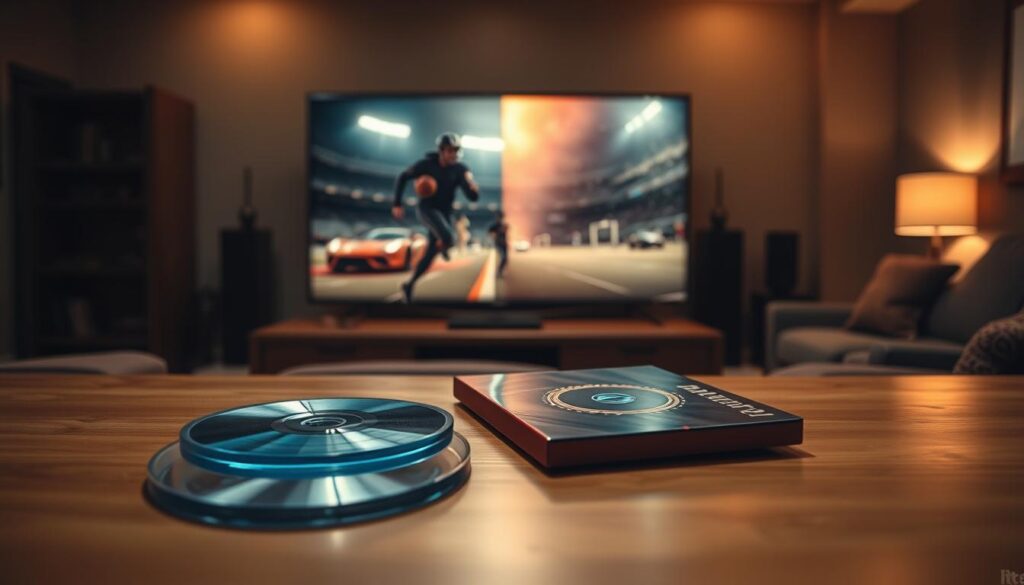
I’m not saying ditch streaming. It’s great for casual viewing, discovery, and convenience. But for films you study—the ones where cinematography is a character—build a small, curated library on disc. Own your favorites. It’s the cinephile’s equivalent of buying a vinyl record for an album you love.
This isn’t just nostalgia. As highlighted in compelling reasons to question your streaming, the quality gap is real. When you watch a director’s work transformed into a pixelated soup by aggressive compression, you’re not seeing their vision. You’re seeing what your internet connection allowed through.
Start with one film. A seminal sports drama where visuals matter. Compare the disc to the stream. Notice how much more you feel in the shadows, how much more texture exists in every frame. That’s physical media winning. That’s your home projection booth earning its name.
Curated Watchlist with Optimal Sources
Let’s move from the lab to the living room with a curated selection of sports films. These films demand proper presentation. Theory is academic until you feed it the right material.
This watchlist isn’t about plot summaries. It’s a syllabus for studying mood, lighting, and composition through the lens of athletic desperation.
Channel that classic theater lobby vibe. Display posters for these films as a thematic collection. It sets the tone before you even press play.
Each title below is a masterclass. Your job is to present it correctly.
Here’s your essential curriculum, complete with source intelligence and calibration notes. Think of me as your cinematic sommelier.
| Film Title | Mood & Visual Style | Optimal Source | Calibration Challenge |
|---|---|---|---|
| Raging Bull (1980) | Stark B&W realism, high-contrast chiaroscuro, brutal intimacy | 4K UHD Blu-ray (Criterion Collection). The streaming version on Amazon Prime is decent, but the disc’s film grain structure is pristine. | Black level calibration is critical. Too high, and you lose shadow detail in the ring. Too low, and the blacks look washed out. Gamma at 2.2 for that theatrical punch. |
| Uncut Gems (2019) | Electric, color-drenched anxiety, fluorescent lighting, relentless close-ups | Netflix (if streaming) has the best bitrate. For definitive quality, the 4K Blu-ray from A24. Avoid other streaming services; compression murders the detail. | Color saturation needs careful handling. The Safdie brothers’ palette is intentionally overwhelming. Don’t let your TV’s “vivid” mode exaggerate it further. SDR presentation is actually preferred here. |
| Foxcatcher (2014) | Cold, desaturated melancholy, muted tones, oppressive stilness | Blu-ray (Sony Pictures). The streaming transfer on most platforms is surprisingly good, but the physical disc offers more stable grain. | This film lives in the grays. Your contrast and brightness settings will make or break the intended bleakness. Watch for “black crush” in the dimly lit mansion scenes. |
| Moneyball (2011) | Clean, documentary-like aesthetic, natural lighting, data visualization as art | Apple TV+ purchase or Blu-ray. The stream is exceptionally clean. This is a case where a high-bitrate digital copy nearly matches the disc. | Sharpness should be dialed to neutral. The film’s power is in its unadorned clarity. Any edge enhancement will make the office scenes look artificial. |
| The Wrestler (2008) | Gritty, handheld realism, available light, visceral texture | 1080p Blu-ray (Lionsgate). No 4K exists, and the HD transfer is superb. Streaming options are mediocre—compression artifacts hurt the film’s raw texture. | This is a grain management test. Let the film grain resolve naturally. Noise reduction will plasticize Mickey Rourke’s face and defeat the entire aesthetic. |
Notice a pattern? The optimal source often means physical media. When a director paints with light and shadow, compression is the enemy. Streaming is convenient, but it’s a compromise.
Raging Bull on a properly calibrated screen is a religious experience. The sweat, the blood, the smoke—they have texture. The Criterion disc preserves every intended detail.
Uncut Gems is a stress test for your system. Can it handle rapid cuts and intense color without introducing motion artifacts or banding? The Netflix stream holds up, but just barely.
This watchlist is your starting point. Each film presents a unique calibration challenge. Treat them like lab exercises. Your goal isn’t just watching. It’s seeing what the filmmakers intended you to see.
Build your library around these titles. Hunt for the best transfers. Your projection booth deserves nothing less. Now, let’s talk about how to legally capture frames from these masterclasses for your own study.
Capture Tools for Study (Frame Grabs Legally)
Ever been so captivated by a shadow’s fall or a bead of sweat on a boxer’s brow that you needed to freeze time and just… stare? The true cinephile doesn’t just watch. They analyze. They deconstruct.
This is where the art of the frame grab becomes your best friend. It’s like pausing a VHS tape to sketch the composition. But in today’s streaming world, how do you ethically capture a perfect frame for personal study?
Let’s be clear. This isn’t about piracy. It’s about scholarship. We’re talking about grabbing frames from content you legally own or access for education and deep analysis.
Your first line of capture tools is often built right in. Most media players on your computer have a screenshot function. The ‘Print Screen’ key captures your entire desktop. For a cleaner grab, use ‘Alt + Print Screen’ to snag just the active player window.
Dedicated playback software like VLC or MPC-HC offers more control. Their snapshot features often grab the raw video frame before it’s scaled to your screen, resulting in a higher quality image for your frame grabs.
What about streaming? Here’s the tricky part. Browser-based players can be stubborn. Standard screenshots might work, but some services employ mild protection that turns the captured area black. It’s their way of saying, “Don’t redistribute this.”
For a more robust and universal solution, third-party capture tools shine. Software like ShareX (free) or Snagit (paid) can capture specific regions, windows, or even scrolling areas. They often include annotating features, perfect for marking up lighting diagrams or compositional lines right on your frame grabs.
The golden rule? Your intent defines the action. Using these screenshots for a private mood board, a lighting study notebook, or to illustrate a point in a personal film analysis essay falls under fair use for criticism and education. Uploading them to a public site without context or commentary? That’s a grayer area best avoided.
To help you choose your method, here’s a breakdown of the primary avenues for your cinematic archaeology:
| Capture Method | Best For | Legal & Quality Consideration |
|---|---|---|
| Built-in Player Snapshot (VLC, MPC-HC) | Local files, DVDs, Blu-rays. Highest fidelity from legal media sources. | Top-tier quality. Unambiguous legality for personal use from owned media. |
| Dedicated Screenshot Software (ShareX, Snagit) | Streaming services, browser players, any on-screen content. Maximum flexibility. | Quality depends on stream/output resolution. Use strictly for personal study. |
| System Screenshot (Print Screen, Snipping Tool) | Quick, simple grabs from any player. The universal fallback. | Easiest method. May be blocked by some DRM. Quality is screen-resolution dependent. |
So, build your digital scrapbook. Dissect that gorgeous low-key lighting in “Raging Bull.” Map the camera movement in a fight scene. This active engagement transforms passive watching into active learning. Your home cinema isn’t just a theater. It’s a laboratory. And these capture tools are your microscopes.
Hosting a Retro Sports Film Night
Calibration and analysis lead to this moment. You’re not just watching; you’re creating an experience. Your living room turns into a cinema. Here, theory meets reality.
Choose a theme. For a 1970s boxing night, “Rocky” is just the start. Add velvet curtains and vintage posters from Mondo. Use flexible seating and dimmed lights for the perfect vibe.
Concessions are key. Forget microwave popcorn. A Nostalgia popcorn machine adds to the atmosphere. Stock a fridge with drinks from that era. A snack table with themed treats finishes the look.
Before guests arrive, double-check everything. Is the bias lighting on? Most importantly, are the black levels spot on? This ensures “The Hustler” shadows are deep and clear. Your Epson projector should bring out every detail.
This is your home theater’s ultimate test. It shows your setup can beat any movie theater. You offer a deep, immersive experience that theaters can’t match. The credits roll on a shared adventure you crafted from the shadows up.